

Sales: 1-800-850-0122 | Privacy Policy | Contact


Timeline Maker Pro
The Timeline Maker for Investigators & Researchers
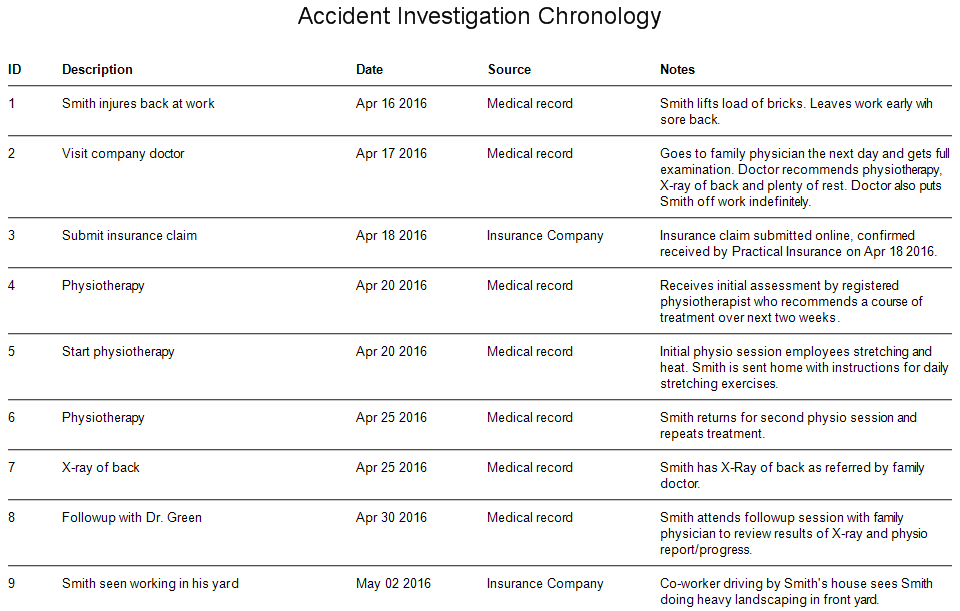
 Reconstruct your timeline as event details are discovered — charts update automatically
- Analyze your events from every angle — create different timelines with one click
- Attach supporting documents to any event — open them mid-presentation with one click
- Share your timeline or chronology any way you need — interactive presentations, PDF, print or image
 Reconstruct your timeline as event details are discovered — charts update automatically


Used by law enforcement, legal professionals, and researchers in 86 countries
One-Time Purchase • No Subscription • Works Offline • Free 14-Day Trial
Our customers from over 86 countries include...


